PDF to Markdown Converter
Drop your PDF here, or browse files
Files are converted 100% inside your browser. No files are uploaded to any server, keeping your data confidential.
Convert PDF to Clean Markdown Online in Seconds
PDF documents are great for preserving visual print fidelity, but they are notoriously rigid and difficult to edit, search, or integrate into modern developer tools. This free tool transforms static PDFs into structured, human-readable Markdown. Everything runs directly in your browser with zero server uploads, keeping your private data strictly on your machine.
How to convert PDF to Markdown
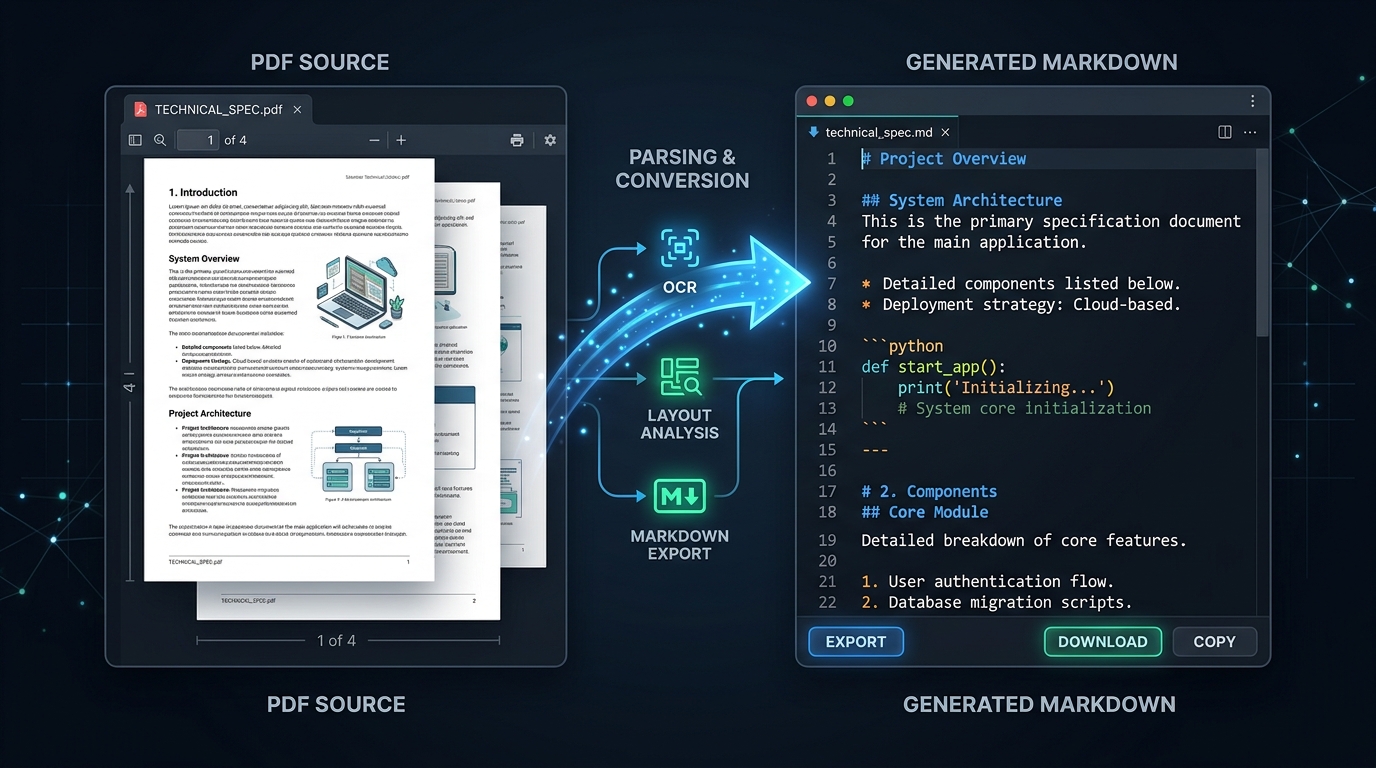
- Step 1: Upload or drop your PDF. Drag your file into the dropzone above or click to select any PDF from your device. You can also test with our built-in sample document.
- Step 2: Review the extracted structure. Our client-side parser reads text coordinates, auto-formats headings, and preserves bullet lists in real time.
- Step 3: Export or edit your Markdown. Copy the Markdown directly to your clipboard, save it as a .md file, or open it in our online Markdown editor for further refinement.
Why use this PDF to Markdown converter?
Engineered for speed, privacy, and flawless text hierarchy.
Zero Server Uploads & 100% Private
Every line of text is processed client-side inside your browser sandbox. Confidential reports, contracts, and internal memos never touch external servers or third-party cloud APIs.
Smart Structure & Heading Detection
Our typographic algorithm analyzes font dimensions to automatically map titles and section headers to standard H1, H2, and H3 Markdown tags.
Bullet & Numbered List Preservation
Detects bullet symbols and numbered sequences in PDF text, converting them into standard Markdown list syntax (- item and 1. item) with clean spacing.
Live Split-Screen Preview
Inspect your extracted Markdown side-by-side with a fully rendered HTML preview so you can verify syntax, links, and flow before downloading.
Optimized for LLMs and Knowledge Bases
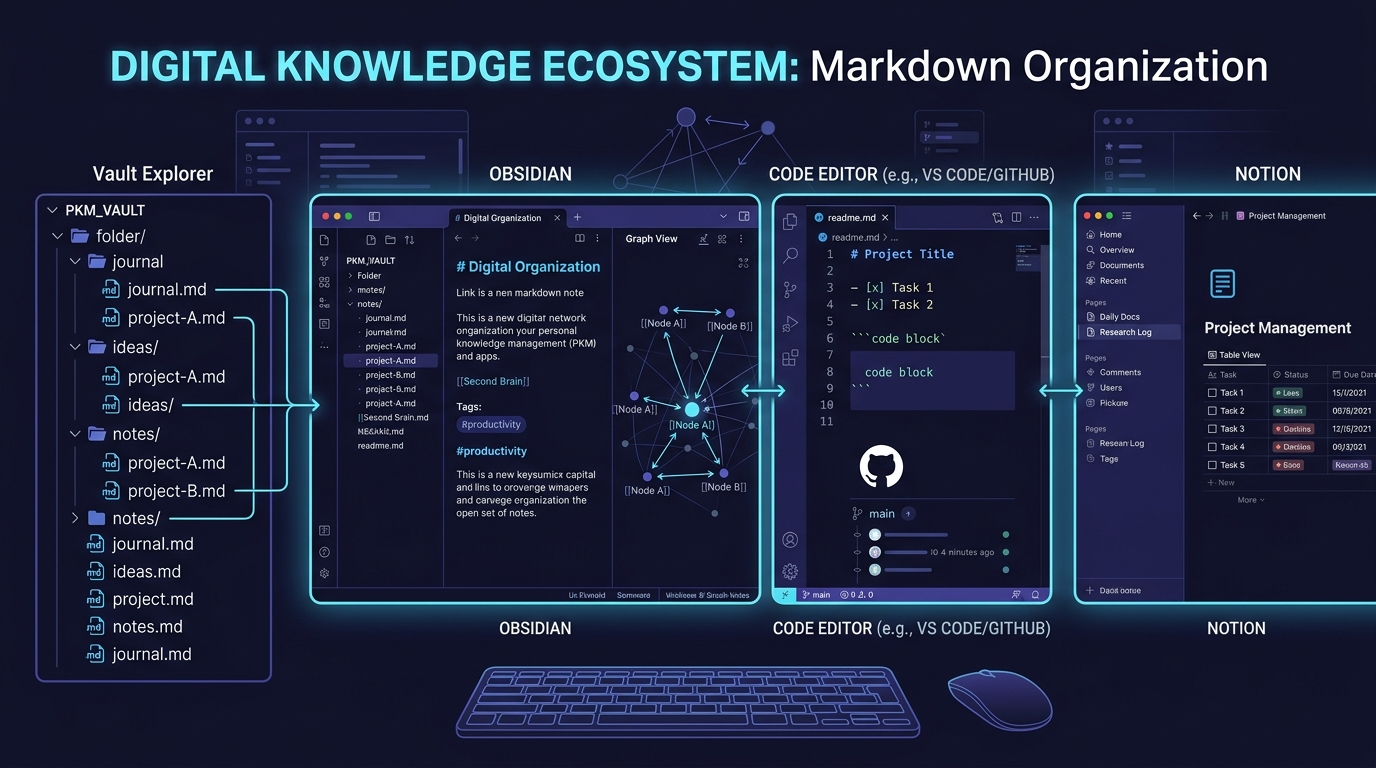
Markdown is the gold-standard format for modern AI tools, RAG architectures, and personal knowledge management systems like Obsidian, Notion, and Logseq.
No Signups, Accounts, or Limits
Convert unlimited PDF documents completely free. No subscription plans, no email requirements, and no hidden conversion quotas.
Unlock your static PDFs for modern workflows
PDF was created in 1993 to simulate printed paper on computer screens. While it succeeded at freezing layout coordinates, it locked data inside binary streams that are difficult to automate, version control, or feed into machine learning models.
Converting your documents to Markdown unlocks plain-text agility: instant full-text search, effortless Git diffs, zero vendor lock-in, and native compatibility with static documentation tools.
Need to convert back? You can easily turn your edited files back into PDFs anytime with our Markdown to PDF converter, or export web pages with our Markdown to HTML converter.
Made for developers, writers, and knowledge workers
Software Engineers & Technical Writers
Quickly extract legacy PDF specifications, API docs, and whitepapers into Git-backed Markdown files for static site generators like Docusaurus, VitePress, or Astro.
Knowledge Managers & PKM Enthusiasts
Seamlessly migrate PDF notes, checklists, and book summaries into Obsidian, Roam Research, or Notion without manual copy-paste reformatting.
Researchers & Academic Students
Turn scientific papers, journal publications, and lecture slide decks into clean Markdown to take atomic notes and synthesize literature reviews.
Content Marketers & Bloggers
Repurpose long-form corporate PDF whitepapers, survey findings, and case studies into clean blog drafts and email newsletter content.
Tips for optimal PDF to Markdown conversion
- Ensure text is selectable: Highlight text with your mouse inside the PDF first. If you can select it, our converter can extract it with high fidelity.
- Leave heading detection enabled: Our typography detector analyzes font sizes across pages to assign appropriate H1, H2, and H3 hashes automatically.
- Multi-page page markers: Keep Page Dividers checked to preserve page comments (<!-- Page X -->) for long reports, making it easy to cite original page locations.
- Need syntax help? Check our Markdown cheat sheet for reference, or polish your content directly in our online Markdown editor.
PDF to Markdown FAQs
Answers to common questions about converting PDF documents to Markdown.